

In today’s dynamic business environment, implementing an efficient employee time clock software system is crucial for businesses in Fresno, California. With the evolving landscape of workforce management, companies need robust solutions that not only track hours but also streamline payroll processes, ensure compliance with California’s stringent labor laws, and provide valuable insights into workforce productivity. Time clock software has transformed from simple punch cards to sophisticated digital systems that integrate seamlessly with other HR functions, offering Fresno businesses the tools they need to manage their workforce effectively in an increasingly complex regulatory environment.
Fresno businesses face unique challenges when setting up time clock systems, from accommodating seasonal agricultural workforce fluctuations to addressing the specific needs of the region’s growing healthcare, retail, and logistics sectors. The right time clock solution can help organizations navigate California’s complex wage and hour requirements while providing the flexibility needed to adapt to changing business conditions. Whether you’re a small retail operation in the Tower District or a large distribution center in South Fresno, implementing the proper time tracking system can lead to significant improvements in operational efficiency, compliance management, and ultimately, your bottom line.
Understanding Time Clock Software Fundamentals
Before diving into implementation, it’s essential to understand what modern time clock software offers. Today’s solutions extend far beyond basic punch-in and punch-out functionality, incorporating advanced features that support comprehensive workforce management. What exactly should you look for in a system that will serve your Fresno business effectively? The right time clock software should balance user-friendly interfaces with robust backend capabilities that streamline administrative processes while maintaining rigorous compliance standards.
- Automated Time Tracking: Look for systems that offer multiple clock-in methods including biometric verification, mobile apps, web-based portals, and traditional physical time clocks to accommodate different work environments and employee needs.
- California Compliance Features: Ensure the software includes specific functionality for tracking meal breaks, rest periods, and overtime calculations according to California’s unique requirements, which are more stringent than federal standards.
- Payroll Integration: Select systems that integrate seamlessly with payroll software to eliminate manual data entry, reduce errors, and streamline wage calculations.
- Scheduling Capabilities: Consider solutions that combine time tracking with employee scheduling features to create a comprehensive workforce management system.
- Mobile Accessibility: In today’s distributed workforce environment, mobile access is essential for employees working across multiple locations or remotely.
Understanding these fundamental components will help you evaluate potential solutions that align with your specific business needs. Remember that the best system for your organization will depend on your industry, workforce size, and specific operational requirements. Many Fresno businesses find that cloud-based solutions offer the flexibility and scalability needed to adapt to seasonal workforce fluctuations common in the agricultural sector and retail industries.

Evaluating Your Business Requirements
Before selecting a time clock solution, conduct a thorough assessment of your organization’s specific needs. This crucial step ensures you invest in a system that addresses your unique challenges rather than implementing a one-size-fits-all solution. Consider how your business structure, industry, and workforce composition might influence your time tracking requirements. For example, a Fresno agricultural business with seasonal workers will have different needs than a healthcare provider with 24/7 staffing requirements.
- Workforce Analysis: Evaluate your employee count, types of workers (hourly, salaried, remote, field-based), and whether you have multiple locations or departments requiring different tracking approaches.
- Industry-Specific Requirements: Identify any industry-specific needs, such as healthcare shift differentials, retail peak season flexibility, or manufacturing production tracking integrations.
- Compliance Priorities: Determine which California labor laws most significantly impact your business, from meal break tracking to overtime calculations and paid sick leave accruals.
- Integration Requirements: List existing systems that should interface with your time clock software, such as payroll, HR management, accounting, or project management tools.
- Budget Considerations: Calculate both immediate implementation costs and long-term operational expenses, including subscription fees, hardware, installation, training, and maintenance.
This assessment provides the foundation for selecting a time clock solution that truly meets your business needs. Consider involving key stakeholders from different departments in this process to ensure all perspectives are represented. HR managers, payroll specialists, department supervisors, and IT staff can provide valuable insights into specific requirements that might otherwise be overlooked. Choosing the right time tracking software is ultimately about finding the balance between functionality, usability, and cost-effectiveness.
Implementation Planning and Deployment
A successful time clock implementation requires careful planning and a structured approach. Rushing this process can lead to employee confusion, data migration issues, and compliance gaps. How can you ensure a smooth transition that minimizes disruption while maximizing adoption? Creating a comprehensive implementation plan with clear milestones, responsibilities, and contingencies is essential for Fresno businesses looking to deploy new time tracking systems with minimal operational disruption.
- Timeline Development: Create a realistic deployment schedule that includes system selection, installation, configuration, testing, training, and go-live phases with buffer time for unexpected challenges.
- Data Migration Strategy: Develop a plan for transferring employee information, historical time data, accruals, and scheduling templates from legacy systems to the new platform while ensuring data integrity.
- Training Program Design: Create role-specific training materials for administrators, managers, and employees that address both technical operation and compliance requirements.
- Communication Plan: Establish a clear communication strategy to inform all stakeholders about the upcoming changes, benefits, and implementation timeline to reduce resistance and build buy-in.
- Testing Protocol: Develop comprehensive testing procedures to verify system functionality, data accuracy, and integration performance before full deployment.
Consider implementing in phases, particularly if you have multiple departments or locations. This approach allows you to address issues at a manageable scale before rolling out system-wide. Many Fresno businesses find success with pilot programs in selected departments, which provide valuable feedback for refining the implementation process. Implementing time tracking systems requires attention to both technical details and human factors. Remember that change management is a critical component of successful implementation—employees need to understand not just how to use the new system but why it benefits them and the organization.
System Configuration and Setup
Once you’ve selected your time clock software, proper configuration is essential to ensure it meets your specific business requirements and complies with California labor regulations. This technical phase requires attention to detail and thorough testing to verify that all components work correctly before deployment. The configuration process should align with your business workflows while supporting compliance with state and local regulations applicable to Fresno employers.
- Company Settings: Configure basic company information, pay periods, work weeks, holidays, and location-specific settings for Fresno operations, including time zones and local business rules.
- Employee Profiles: Set up employee records with appropriate classifications (exempt vs. non-exempt), departments, pay rates, overtime eligibility, and authorized work schedules to ensure accurate tracking.
- California Compliance Rules: Implement specific rules for meal break enforcement, rest period tracking, overtime thresholds (daily and weekly), and split shift premiums according to California requirements.
- Approval Workflows: Establish hierarchies for time sheet submissions and approvals, including backup approvers and escalation paths to maintain operational continuity.
- Alerts and Notifications: Configure automated alerts for potential compliance issues such as missed breaks, approaching overtime, or unauthorized clock-ins to enable proactive management.
Many time clock systems offer template configurations for California businesses, which can serve as a starting point that you then customize to your specific needs. However, these templates should always be reviewed carefully to ensure they accurately reflect current regulations. Consider consulting with a local HR specialist familiar with Fresno’s business environment during this phase. Software performance testing should verify that the system can handle your expected transaction volume, particularly during peak clock-in/out times. Testing should also confirm that mobile experiences work properly for employees who will use smartphones or tablets to record their time.
Integration with Payroll and HR Systems
For maximum efficiency and accuracy, your time clock system should seamlessly connect with other business systems, particularly payroll and HR management platforms. Effective integration eliminates duplicate data entry, reduces errors, and creates a more comprehensive workforce management ecosystem. This interconnected approach is particularly valuable for Fresno businesses looking to streamline administrative processes while maintaining compliance with complex California labor regulations.
- Payroll System Connections: Configure bidirectional data flows between your time clock and payroll software to automatically transfer approved hours, overtime, differentials, and paid time off for wage calculations.
- HRIS Integration: Establish connections with your human resources information system to maintain consistent employee data across platforms and streamline processes like onboarding and terminations.
- Accounting Software Links: Consider integrations with accounting systems to allocate labor costs to appropriate departments, projects, or cost centers for more accurate financial reporting.
- Scheduling System Coordination: Implement two-way communication between time tracking and employee scheduling platforms to compare scheduled versus actual hours and identify coverage gaps.
- API Utilization: Leverage available application programming interfaces (APIs) to build custom integrations with industry-specific software or legacy systems that lack standard connectors.
Integration testing is a critical step before full deployment. Verify that data flows correctly between systems and that calculated results match expectations across different scenarios, including regular hours, overtime, holidays, and special pay conditions. Many Fresno businesses benefit from integrated systems that reduce administrative burden while improving data accuracy. Consider working with a system integrator or consultant familiar with your specific software ecosystem if internal IT resources are limited. The initial investment in proper integration typically yields significant returns through reduced administrative costs and improved data integrity.
California Labor Law Compliance
California maintains some of the most employee-friendly labor laws in the nation, and Fresno businesses must ensure their time clock systems support compliance with these complex regulations. Proper configuration of your time tracking software can help automate compliance with many of these requirements, reducing the risk of costly violations and penalties. Is your system adequately configured to handle California’s unique requirements? Understanding these regulations is essential for proper system setup.
- Daily Overtime Tracking: Configure your system to calculate overtime at 1.5x regular rate after 8 hours in a workday and 2x after 12 hours, in addition to weekly overtime after 40 hours—a California-specific requirement.
- Meal Period Compliance: Set up automatic tracking of the mandatory 30-minute meal break for shifts over 5 hours, with alerts for missed or late breaks that could trigger premium pay requirements.
- Rest Break Monitoring: Implement functionality to track the 10-minute paid rest breaks required for every 4 hours worked (or major fraction thereof) under California law.
- Sick Leave Accrual: Configure the system to automatically calculate and track paid sick leave accruals according to California requirements (minimum 1 hour per 30 hours worked) or Fresno local ordinances if more generous.
- Record Retention: Ensure your system supports the California requirement to maintain time records for a minimum of four years, with appropriate archiving and retrieval capabilities.
Regular updates to your time clock system are essential as California labor laws frequently change. Work with vendors who demonstrate commitment to staying current with regulatory changes and providing timely updates. Labor compliance should be a primary consideration when configuring your time clock software. Many Fresno businesses find value in scheduling regular compliance reviews with legal counsel or HR consultants to ensure their time tracking practices remain aligned with current regulations. Remember that compliance with health and safety regulations often intersects with time tracking, particularly for recording mandated breaks and maximum work hours in certain industries.
Training and Change Management
Even the most sophisticated time clock system will fail to deliver results if employees and managers don’t understand how to use it correctly. A comprehensive training and change management strategy is essential for successful adoption. How can you ensure all stakeholders embrace the new system? Recognizing that people adapt to change differently is key to developing effective training approaches that address various learning styles and technological comfort levels.
- Role-Based Training: Develop separate training programs for administrators, managers, and employees that focus on their specific system interactions and responsibilities within the time tracking process.
- Multiple Learning Formats: Offer a variety of training methods including hands-on workshops, video tutorials, quick reference guides, and knowledge base articles to accommodate different learning preferences.
- Compliance Education: Include information about relevant California labor laws in training materials to help employees understand why certain procedures (like recording meal breaks) are necessary.
- Staged Implementation: Consider a phased rollout approach that introduces features gradually, starting with basic functions before adding more complex capabilities once users are comfortable.
- Dedicated Support: Establish a support system with designated “super users” or champions within each department who receive advanced training and can assist colleagues during the transition.
Effective communication tools play a crucial role in successful change management. Clearly articulate the benefits of the new system for both the organization and individual employees. Address concerns proactively and provide regular updates throughout the implementation process. Implementation and training should be viewed as ongoing processes rather than one-time events. Plan for refresher training sessions, particularly after system updates or when compliance requirements change. Many Fresno businesses find that investing in thorough training ultimately saves time and resources by reducing errors and support requests while improving overall system adoption.

Maximizing Analytics and Reporting Capabilities
Modern time clock systems offer powerful analytics and reporting capabilities that extend far beyond basic time tracking. These tools can provide valuable insights into workforce productivity, labor costs, compliance metrics, and scheduling effectiveness. Leveraging these capabilities allows Fresno businesses to make data-driven decisions that optimize operations and improve bottom-line results. Are you fully utilizing the analytical power of your time tracking system?
- Labor Cost Analysis: Create reports that break down labor expenses by department, project, shift, or location to identify opportunities for optimization and better budget management.
- Compliance Monitoring: Implement dashboards that track key compliance metrics such as meal break compliance percentages, overtime trends, and potential minimum wage issues specific to California regulations.
- Absence and Attendance Patterns: Analyze tardiness, absenteeism, and time-off usage to identify patterns that may impact productivity or indicate employee engagement issues.
- Productivity Metrics: When integrated with production or service delivery data, develop reports that correlate labor hours with output to measure and improve workforce efficiency.
- Scheduling Effectiveness: Compare scheduled versus actual hours to refine forecasting models and improve future scheduling accuracy, particularly important for Fresno’s seasonal businesses.
Consider creating custom report templates that deliver the specific insights most valuable to your business operations. Reporting and analytics capabilities should align with your key performance indicators and strategic objectives. Many time clock systems allow for automated report distribution, ensuring decision-makers regularly receive the information they need without manual effort. For Fresno businesses with multiple locations or departments, comparative analytics can identify best practices that can be shared across the organization to improve overall performance. Advanced features and tools in modern systems often include predictive analytics that can forecast labor needs based on historical patterns—particularly valuable for businesses affected by seasonal fluctuations.
Mobile and Remote Work Considerations
With the increasing prevalence of remote work and field-based employees, mobile time tracking capabilities have become essential for many Fresno businesses. Modern time clock systems offer sophisticated mobile features that enable accurate time tracking regardless of employee location while maintaining security and compliance. How can you effectively implement mobile time tracking while ensuring accuracy and preventing abuse? The right approach balances flexibility with appropriate controls.
- Mobile App Functionality: Select time clock software with robust mobile applications that offer full clock-in/out capabilities, break tracking, and timesheet review functionality on smartphones and tablets.
- Geolocation Verification: Implement geofencing or GPS verification features that confirm employees are at approved work locations when clocking in or out to prevent time theft.
- Offline Capabilities: Ensure the system can function in areas with limited connectivity by caching clock events locally until a connection is reestablished—important for field workers in rural areas around Fresno.
- Photo Verification: Consider systems that capture photos during mobile clock-in events to verify the correct employee is logging time, particularly for distributed teams.
- Remote Work Policies: Develop clear policies for remote time tracking that address expectations for availability, break documentation, and overtime authorization procedures.
Mobile time tracking should be configured to maintain compliance with California labor laws, which apply equally to remote workers based in the state. Team communication tools integrated with your time tracking system can help maintain connectedness among distributed team members. Many Fresno businesses utilize shift marketplace features that allow remote workers to view, claim, or swap shifts electronically, increasing flexibility while maintaining appropriate coverage. Remember that mobile time tracking introduces unique security considerations; implement strong authentication requirements and device management policies to protect sensitive employee data and prevent unauthorized access.
Maintaining and Optimizing Your Time Clock System
Implementing a time clock system is just the beginning; ongoing maintenance and optimization are essential to ensure continued effectiveness, compliance, and return on investment. Regular system evaluation and updates help address emerging needs, incorporate new features, and adapt to changing regulations. What processes should you establish to keep your system performing optimally? A proactive approach to maintenance prevents problems before they impact your operations.
- Regular Compliance Updates: Schedule quarterly reviews of your time clock configuration to ensure alignment with the latest California labor law changes and update rules accordingly.
- System Performance Monitoring: Implement monitoring tools to track system response times, processing delays, or integration issues that could indicate needed upgrades or optimizations.
- User Feedback Collection: Establish formal channels for employees and managers to report issues, suggest improvements, or request additional features based on their daily experiences.
- Periodic Audits: Conduct regular audits of time records, exception reports, and approval processes to identify potential compliance risks or procedural breakdowns.
- Continuous Training: Provide ongoing education for new employees and refresher training for existing staff to ensure everyone remains proficient in system use as features evolve.
Consider establishing a time and attendance governance committee with representatives from HR, payroll, operations, and IT to oversee system optimization and address cross-functional issues. Troubleshooting common issues becomes more efficient when you maintain documentation of past problems and their resolutions. Many Fresno businesses benefit from vendor maintenance agreements that provide regular updates, technical support, and access to new features. Evaluating system performance should include both technical metrics and business outcomes such as reduced administrative time, improved compliance, and enhanced decision-making capabilities based on system data.
Conclusion
Implementing an effective employee time clock system represents a significant opportunity for Fresno businesses to streamline operations, ensure compliance with California’s complex labor laws, and gain valuable workforce insights. By following a structured approach to selection, implementation, and ongoing management, organizations can transform time tracking from a basic administrative function into a strategic asset that supports broader business objectives. Remember that success depends not just on choosing the right technology but also on thoughtful configuration, comprehensive training, and consistent maintenance aligned with your specific business needs.
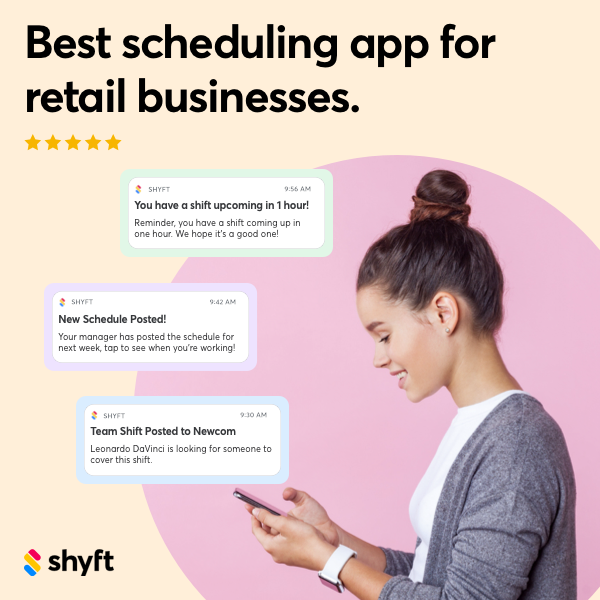
As you move forward with your time clock implementation or optimization project, focus on building a system that balances compliance requirements with user experience. The most effective solutions are those that employees willingly adopt because they’re intuitive to use and clearly beneficial. Invest in proper training, establish clear policies, and leverage available analytics to continuously improve your processes. By approaching time clock implementation as a strategic initiative rather than merely a technical project, Fresno businesses can realize significant returns through improved operational efficiency, reduced compliance risk, and data-driven workforce management. Consider exploring Shyft’s solutions that offer integrated approaches to employee scheduling and time management designed for today’s dynamic workforce needs.
FAQ
1. How do I ensure my time clock system complies with California’s specific labor laws?
To ensure compliance with California’s labor laws, configure your time clock system to track daily overtime thresholds (8 hours per day), implement meal break tracking with appropriate penalties for violations, enable rest period monitoring, and set up automatic calculation of split shift premiums and reporting time pay. Work with vendors who regularly update their systems to reflect California’s evolving regulations, and consider consulting with a labor attorney familiar with Fresno’s local ordinances during implementation. Conduct quarterly compliance reviews and stay informed about regulatory changes through resources like the California Department of Industrial Relations.
2. What are the best practices for training employees on a new time clock system?
Effective training begins with segmenting your audience by role and developing targeted materials for administrators, managers, and end-users. Offer multiple learning formats including hands-on workshops, video tutorials, and written guides to accommodate different learning styles. Focus on the “why” behind procedures, especially for compliance-related functions like break recording. Provide real-world scenarios relevant to your Fresno business operations. Designate super-users in each department who receive advanced training and can support their colleagues. Schedule follow-up sessions after initial implementation to address questions and reinforce proper usage, and maintain an accessible knowledge base for ongoing reference.
3. How can I integrate my time clock system with existing payroll and HR software?
Start by identifying integration options available from your vendors, which may include direct API connections, pre-built connectors, or file-based imports/exports. Prioritize bidirectional data flows that keep employee information synchronized between systems while automating the transfer of time data to payroll. Work with your IT department or system integrator to map data fields correctly between systems, ensuring information like employee IDs, department codes, and pay codes align properly. Implement thorough testing with various scenarios before full deployment, and establish error handling procedures for addressing integration failures. Consider cloud-based solutions with robust integration ecosystems for maximum connectivity options.
4. What features should I look for to accommodate remote workers in Fresno?
For remote workers, prioritize time clock systems with mobile applications that function on various devices and operating systems. Look for geolocation verification capabilities that can confirm employees are working from approved locations. Ensure the system offers offline functionality for areas with limited connectivity, which is particularly important for field workers in agricultural or outlying areas around Fresno. Select platforms with robust security features including multi-factor authentication and device management. Consider systems that integrate team communication tools to facilitate collaboration among distributed teams, and implement clear policies regarding expectations for remote time tracking and availability.
5. How often should I update my time clock software to maintain compliance?
California labor laws change frequently, so your time clock system should be reviewed and potentially updated quarterly at minimum. Schedule comprehensive compliance reviews at the beginning of each year to incorporate new state and local regulations that typically take effect January 1. Additional reviews should occur whenever significant legislation passes or when regulatory agencies issue new guidance. If using cloud-based software, confirm your vendor’s update schedule and their commitment to maintaining California compliance. For on-premises systems, establish a process for testing and deploying updates that minimizes disruption while ensuring timely implementation of compliance-related changes. Remember that beyond software updates, you may need to adjust policies, training materials, and reporting procedures to maintain full compliance.