

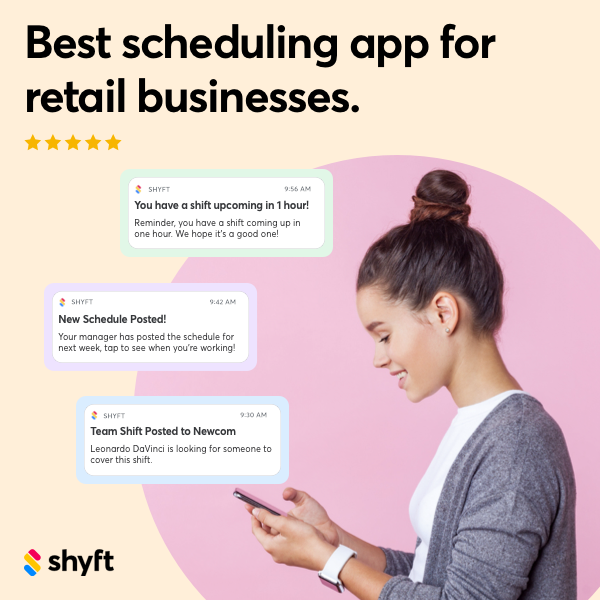

Managing employee time tracking effectively is crucial for businesses in Charleston, South Carolina, especially as workforce management becomes increasingly complex. Modern time clock software solutions offer Charleston employers powerful tools to streamline attendance tracking, ensure compliance with local regulations, and optimize labor costs. With South Carolina’s diverse economy spanning tourism, manufacturing, healthcare, and technology sectors, businesses need flexible time tracking systems that can adapt to their specific operational requirements. Implementing the right employee time clock software can dramatically improve accuracy, reduce administrative burden, and provide valuable workforce insights that support better business decisions.
For Charleston businesses navigating the competitive landscape, efficient workforce management is no longer optional—it’s essential for maintaining productivity and profitability. Today’s time clock solutions go far beyond basic punch-in systems, offering sophisticated features like geofencing, mobile access, biometric verification, and integration with payroll and scheduling platforms like Shyft. Whether you’re a small hospitality business on King Street or a large manufacturing operation in North Charleston, understanding how to effectively implement and optimize time clock software is key to managing your most valuable resource—your people.
Understanding Time Clock Software Essentials
Before diving into implementation, Charleston businesses need to understand what modern time clock software offers and why it represents a significant upgrade from traditional time tracking methods. Today’s solutions provide comprehensive features that address multiple workforce management challenges while offering flexibility for diverse business needs.
- Real-time Tracking: Modern systems capture clock-ins and clock-outs instantly, providing managers with up-to-the-minute visibility into workforce attendance and hours.
- Multiple Clock-in Methods: From biometric verification to mobile apps, kiosks, and web portals, employees can use various methods to record their time based on their work environment.
- Automated Calculations: Systems automatically calculate regular hours, overtime, breaks, and paid time off according to configured rules, eliminating manual computation errors.
- Integration Capabilities: The best solutions connect seamlessly with payroll systems, scheduling software, and other HR platforms to create a cohesive workforce management ecosystem.
- Compliance Features: Built-in compliance tools help Charleston businesses adhere to federal labor laws and South Carolina-specific regulations automatically.
Understanding these core capabilities helps businesses establish a foundation for what to look for when selecting a time clock solution. The right system should align with your operational workflow while being intuitive enough for employees to adopt easily. According to research from workforce management experts, companies that implement advanced time tracking solutions typically see a 3-5% reduction in labor costs through improved accuracy alone.

Key Benefits for Charleston Businesses
Charleston’s diverse business landscape—from its busy tourism sector to manufacturing and healthcare facilities—stands to gain significant advantages from implementing modern time clock software. These benefits directly impact operational efficiency, financial performance, and workforce satisfaction.
- Labor Cost Control: Accurate time tracking eliminates time theft and buddy punching, which can save Charleston businesses up to 7% on payroll expenses according to industry research.
- Regulatory Compliance: Automated systems help maintain compliance with federal wage and hour laws while documenting time records required by South Carolina labor regulations.
- Administrative Efficiency: Reducing manual time card processing can save HR departments 5-7 hours per pay period, allowing staff to focus on more strategic initiatives.
- Data-Driven Decisions: Advanced reporting and analytics provide insights into labor utilization, helping managers optimize staffing levels and reduce overtime costs.
- Employee Satisfaction: Self-service features allow workers to view their hours, request time off, and resolve discrepancies easily, enhancing workplace satisfaction.
These benefits are particularly relevant in Charleston’s competitive labor market, where businesses must maximize efficiency while maintaining employee satisfaction. Many local businesses have reported improved retention rates after implementing transparent, fair time tracking systems. By automating time-consuming manual processes, companies can also redirect resources toward growth initiatives and customer service excellence—critical advantages in Charleston’s tourism-driven economy.
Essential Features to Look For
When evaluating time clock software options for your Charleston business, certain features stand out as particularly valuable. Your selection should balance functionality, user experience, and specific industry requirements to ensure maximum return on investment.
- Mobile Accessibility: Look for solutions with mobile time tracking capabilities, especially important for Charleston’s construction, field service, and hospitality sectors where staff work across multiple locations. Mobile access ensures employees can clock in from anywhere while managers maintain oversight.
- Geofencing and GPS Tracking: These features prevent unauthorized clock-ins by ensuring employees are physically present at designated work locations—particularly valuable for businesses with multiple sites across the Charleston metro area.
- Scheduling Integration: Look for systems that integrate with employee scheduling software like Shyft, creating a seamless connection between planned shifts and actual hours worked.
- Customizable Overtime Rules: The ability to configure overtime calculations based on South Carolina labor laws and company policies ensures accurate payroll processing.
- Biometric Options: Fingerprint or facial recognition capabilities eliminate buddy punching and strengthen security, though implementation should consider South Carolina’s legal framework for biometric data.
Additionally, consider features like paid time off accrual tracking, break management, and team communication tools that can enhance workforce management beyond basic time tracking. The ideal solution should scale with your business growth while maintaining ease of use for both administrators and employees. Many Charleston businesses find that cloud-based systems offer the best combination of accessibility, security, and regular updates to keep pace with changing compliance requirements.
Compliance with South Carolina Labor Laws
Compliance with labor regulations is a critical concern for Charleston businesses implementing time clock software. While South Carolina follows federal wage and hour laws with few additional state-specific requirements, ensuring your system is properly configured to maintain compliance is essential for avoiding costly penalties and litigation.
- Federal Compliance: Your time clock software should track hours to ensure adherence to Fair Labor Standards Act (FLSA) requirements, including overtime calculations for hours worked beyond 40 in a workweek.
- Record Keeping: South Carolina employers must maintain accurate time records for at least three years. Choose software with secure data storage and robust record-keeping capabilities.
- Break Time Tracking: While South Carolina doesn’t mandate meal or rest breaks for adults, if your business provides these breaks, your system should accurately track them, especially for payroll purposes if breaks are unpaid.
- Minor Employment: For businesses employing workers under 18, time clock software should help enforce restrictions on hours and times minors can work according to child labor laws.
- Industry-Specific Regulations: Certain Charleston industries face additional requirements. Healthcare facilities, for example, must comply with specific reporting requirements that your time tracking system should accommodate.
Implementing a system with built-in compliance safeguards can provide significant protection for Charleston employers. Many modern time clock solutions include alerts for potential overtime violations, missing punches, or other compliance issues before they become problems. This proactive approach to labor compliance is invaluable in reducing risk while simplifying HR operations. Consider consulting with a local employment attorney during system configuration to ensure all relevant regulations are properly addressed.
Implementation Strategies for Success
Successful implementation of time clock software requires careful planning and execution, especially for Charleston businesses transitioning from manual systems or upgrading outdated technology. A thoughtful approach ensures higher adoption rates, fewer disruptions, and faster realization of benefits.
- Needs Assessment: Before selecting a system, thoroughly evaluate your specific requirements, including number of employees, locations, shift patterns, and integration needs with existing software.
- Stakeholder Involvement: Include representatives from management, HR, IT, payroll, and frontline employees in the selection and implementation process to ensure diverse perspectives are considered.
- Phased Rollout: Consider implementing the system in stages, starting with a single department or location before expanding company-wide. This approach allows for troubleshooting and refinement with minimal disruption.
- Comprehensive Training: Develop training programs for both administrators and end-users, considering different learning styles and potentially offering training in multiple formats (in-person, video, written guides).
- Clear Communication: Transparently communicate the reasons for implementing the new system, highlighting benefits for employees such as accurate pay, easier time-off requests, and reduced administrative burden.
Many Charleston businesses find that running parallel systems (old and new) for 1-2 pay periods helps ensure data accuracy while building confidence in the new solution. Additionally, designating “super users” in each department who receive advanced training can provide on-the-ground support for colleagues during the transition. For multi-location businesses common in Charleston’s tourism and hospitality sectors, consider location-specific implementation plans that account for unique operational requirements while maintaining company-wide consistency. Proper implementation approaches significantly influence long-term success rates with new time tracking systems.
Integration with Existing HR Systems
For Charleston businesses, the value of time clock software multiplies when it works seamlessly with other HR and business systems. Proper integration eliminates data silos, reduces duplicate entry, and creates a more cohesive workforce management ecosystem.
- Payroll Integration: Perhaps the most critical connection, linking your time clock with payroll systems ensures hours worked translate directly to paychecks without manual data transfer, reducing errors and processing time.
- Scheduling Software: Integration with scheduling systems like Shyft allows for automatic comparison of scheduled versus actual hours, helping managers identify discrepancies and adjust future schedules based on actual needs.
- HRIS Platforms: Connecting to your core HR information system ensures employee data remains consistent across systems and enables comprehensive workforce analytics.
- Accounting Software: For many Charleston small businesses, integration with accounting systems provides better visibility into labor costs as they relate to overall financial performance.
- POS Systems: Retail and hospitality businesses can benefit from integrations that connect labor data with sales data, enabling analysis of labor efficiency relative to revenue.
When evaluating integration options, consider both current and future needs. API capabilities are particularly important, as they allow for connections with multiple systems and provide flexibility as your technology stack evolves. Many Charleston businesses find that cloud-based time clock solutions offer the most robust integration possibilities, with pre-built connectors for popular payroll and HR platforms. During implementation, work closely with your IT team or consultant to ensure data flows correctly between systems and that appropriate security measures protect sensitive information during transfers.
Mobile Time Tracking Considerations
Mobile time tracking capabilities have become increasingly important for Charleston businesses, particularly those with remote workers, multiple locations, or field-based employees. The flexibility of mobile solutions brings distinct advantages but also requires careful planning for successful implementation.
- Device Selection: Determine whether employees will use company-provided devices or their personal smartphones for time tracking through a BYOD (Bring Your Own Device) policy.
- Geolocation Features: Mobile solutions with geofencing capabilities can verify employees are at appropriate work locations when clocking in—particularly valuable for businesses with multiple sites across Charleston or those sending workers to client locations.
- Offline Functionality: For businesses operating in areas with spotty connectivity (like construction sites or certain rural areas outside Charleston), select solutions that can record time entries offline and sync when connectivity is restored.
- User Experience: The mobile interface should be intuitive and streamlined, allowing employees to clock in/out, request time off, and view their schedules with minimal friction. Mobile user experience significantly impacts adoption rates.
- Authentication Security: Implement appropriate security measures such as biometric login, PIN codes, or secure passwords to prevent unauthorized access to time tracking functions.
Charleston businesses implementing mobile time tracking should develop clear policies regarding acceptable use, privacy expectations, and procedures for lost or stolen devices. Employee training should address not only how to use the mobile time tracking features but also the importance of accurate reporting and the potential consequences of misuse. Many organizations find that team communication tools integrated with mobile time tracking create a more cohesive experience, allowing managers to send shift updates or important announcements through the same platform employees use for time tracking.

Data Security and Privacy Considerations
Time clock systems contain sensitive employee information and time data that requires proper protection. For Charleston businesses, implementing robust security measures is essential not only for regulatory compliance but also for maintaining employee trust and protecting company data.
- Data Encryption: Ensure your time clock software uses strong encryption for both data in transit and at rest, protecting information as it moves between devices and while stored in databases.
- Access Controls: Implement role-based permissions that limit data access to only those employees who need it for their job functions. HR might need full access, while department managers should only see information for their direct reports.
- Compliance Requirements: Your system should help maintain compliance with relevant data protection regulations, including proper handling of personally identifiable information (PII).
- Secure Authentication: Utilize strong authentication methods, potentially including multi-factor authentication for administrator access to prevent unauthorized system changes.
- Audit Trails: Comprehensive logging of all system activities helps identify potential security issues and provides documentation for compliance purposes. Data security measures should be transparent and reviewable.
When selecting a time clock solution, Charleston businesses should inquire about the vendor’s security certifications, data center protections, and disaster recovery capabilities. For cloud-based solutions, understand where data is physically stored and what protections exist. Develop clear policies regarding data retention and establish protocols for responding to potential data breaches. Additionally, consider how biometric data (if used) is stored and protected, as this information is particularly sensitive. Privacy considerations should be communicated clearly to employees, explaining what data is collected, how it’s used, and the measures in place to protect it.
Customization for Charleston Industries
Charleston’s diverse economy encompasses multiple industries with unique time tracking requirements. Tailoring your time clock software implementation to address industry-specific needs ensures the system delivers maximum value for your specific business context.
- Hospitality and Tourism: Charleston’s vibrant tourism sector requires flexible scheduling across multiple shifts and positions. Look for systems with hospitality-specific features like tip reporting, shift swapping capabilities, and integration with property management systems.
- Manufacturing: For Charleston’s manufacturing operations, time clock systems should accommodate shift differentials, job costing functions, and potentially integrate with production management software to correlate labor hours with output.
- Healthcare: Medical facilities benefit from systems that track certification compliance, manage complex rotating schedules, and account for on-call hours. Healthcare-specific solutions should also integrate with patient management systems.
- Construction: For construction companies active in Charleston’s growing development sector, mobile time tracking with GPS verification, job site coding, and the ability to track time against specific projects is essential.
- Retail: Retail businesses need systems that integrate with point-of-sale data to analyze labor costs against sales, while supporting flexible scheduling during peak tourist seasons. Retail-focused features enhance operational efficiency.
When implementing industry-specific customizations, balance the need for specialized features with system usability. Overly complex configurations can reduce adoption rates and increase training requirements. Work with vendors who understand your industry’s unique challenges and can provide relevant case studies from similar Charleston businesses. Many time clock providers offer industry-specific templates or modules that can accelerate implementation while addressing your particular requirements. Additionally, consider how customization options might need to evolve as your business grows or as industry regulations change.
Measuring ROI and System Performance
To justify the investment in time clock software and ensure ongoing value, Charleston businesses should establish clear metrics for measuring return on investment and system performance. Tracking these indicators helps identify areas for optimization and provides data to support future technology decisions.
- Time Savings: Measure the reduction in hours spent on time card processing, corrections, and payroll preparation compared to previous methods.
- Error Reduction: Track the decrease in payroll errors, unauthorized overtime, and time card disputes that require manual intervention.
- Labor Cost Control: Monitor changes in overtime costs, unauthorized early clock-ins/late clock-outs, and overall payroll expenses as a percentage of revenue.
- Compliance Improvements: Measure reductions in compliance issues, penalties, or audit findings related to time and attendance records.
- User Adoption: Track metrics like the percentage of employees using the system correctly, frequency of help desk inquiries, and user satisfaction ratings. Performance evaluation should be ongoing and comprehensive.
Establish a baseline for these metrics before implementation to enable accurate before-and-after comparisons. Many Charleston businesses find value in creating a formal ROI calculation that incorporates both tangible benefits (direct cost savings) and intangible benefits (improved employee satisfaction, better decision-making). Regular system audits can help identify unused features or optimization opportunities. Consider conducting periodic user surveys to gather feedback on system performance and identify potential improvements. The most successful implementations typically include a continuous improvement approach, with regular reviews of system usage patterns and ongoing refinements to workflows and configurations. Proper metrics tracking helps maximize long-term value from your time clock software investment.
Conclusion
Implementing employee time clock software represents a significant opportunity for Charleston businesses to modernize workforce management practices, reduce administrative burden, and gain valuable insights into labor utilization. By carefully selecting a solution with the right features for your industry, ensuring proper integration with existing systems, and following best practices for implementation, your organization can realize substantial benefits in accuracy, efficiency, and compliance. The transition from manual or outdated time tracking methods to a modern, digital solution requires thoughtful planning and change management, but the return on investment typically justifies the effort.
As Charleston’s business landscape continues to evolve and compete for talent, effective workforce management becomes increasingly critical. Time clock software serves as a foundation for fair, transparent, and efficient labor practices that benefit both employers and employees. Whether you operate in hospitality, healthcare, manufacturing, retail, or another sector, the right time tracking solution can help control costs, improve compliance, and provide the data needed for strategic workforce decisions. By approaching implementation methodically and focusing on both technical requirements and human factors, Charleston businesses can transform time tracking from a necessary administrative function into a strategic advantage.
FAQ
1. What are the legal requirements for time clock records in South Carolina?
South Carolina follows federal requirements under the Fair Labor Standards Act (FLSA), which mandates that employers maintain accurate records of hours worked for at least three years. These records must include precise start and end times, total hours worked per day and week, and overtime calculations. While South Carolina doesn’t add significant state-specific requirements beyond federal law, employers should ensure their time clock software accurately tracks all required data and provides secure storage with appropriate access controls. The ability to generate reports for potential audits or investigations is also essential. Digital time clock systems that automatically preserve these records in compliance with retention requirements can significantly reduce legal risk.
2. How can we ensure employee adoption of new time clock software?
Successful adoption requires a combination of clear communication, comprehensive training, and ongoing support. Start by explaining the benefits to employees—not just for the company but for them personally, such as accurate pay, easier time-off requests, and transparent records. Provide multiple training options including hands-on sessions, video tutorials, and quick reference guides to accommodate different learning styles. Designate “super users” in each department who can provide peer support. Consider a phased implementation with adequate time for employees to become comfortable with the new system. Most importantly, actively solicit and respond to feedback during the initial rollout period, making adjustments as needed to address legitimate concerns and remove obstacles to adoption.
3. What are the most common pitfalls when implementing time clock software?
Common implementation challenges include insufficient planning, inadequate training, poor system selection, and resistance to change. Many organizations underestimate the time needed for proper configuration, especially when customizing the system for complex work rules or multiple locations. Integration issues with existing systems like payroll or scheduling software can also create significant problems if not properly tested before full deployment. Another frequent mistake is failing to involve key stakeholders—including frontline employees—in the selection and implementation process, leading to systems that don’t fully address actual business needs. To avoid these pitfalls, develop a comprehensive implementation plan, conduct thorough testing, provide robust training, and maintain open communication throughout the process.
4. How should we handle remote workers with our time clock system?
Managing remote workers requires specific features and policies. Select a time clock solution with robust mobile capabilities and potentially geolocation verification if you need to confirm work locations. Establish clear expectations regarding when and how remote employees should clock in and out, including guidelines for breaks and meal periods. Consider implementing random screenshot capture, activity monitoring, or project tracking for positions where productivity verification is important. Ensure your system can accommodate different time zones if your remote workforce spans multiple regions. Most importantly, develop written policies specifically addressing remote work time tracking, and regularly review time records to identify and address any unusual patterns that might indicate misuse of the system.
5. What security measures are essential for time clock software?
Essential security measures include strong data encryption (both in transit and at rest), robust access controls with role-based permissions, secure authentication methods (potentially including multi-factor authentication for administrators), comprehensive audit logging of system activities, and regular security updates and patches. For biometric systems, ensure proper protection of this sensitive data according to best practices and relevant regulations. Cloud-based solutions should employ industry-standard security certifications and store data in secured data centers with redundancy. Develop internal policies covering user account management, password requirements, and protocols for handling potential security incidents. Regular security assessments and penetration testing can help identify vulnerabilities before they can be exploited.