

Implementing an effective employee time clock software system is a critical step for businesses in Omaha, Nebraska looking to streamline their workforce management processes. With the city’s diverse economic landscape spanning healthcare, financial services, transportation, and manufacturing, Omaha businesses face unique challenges in managing employee time tracking, scheduling, and payroll integration. The right time clock solution not only ensures accurate record-keeping but also helps maintain compliance with Nebraska labor laws while optimizing operational efficiency. Modern time clock systems have evolved far beyond simple punch cards to become comprehensive workforce management tools that provide valuable data insights and improve overall business performance.
Omaha’s business environment is characterized by a mix of large corporations and small to medium enterprises, each with specific workforce management needs. The metropolitan area’s unemployment rate typically runs below the national average, creating a competitive labor market where efficient workforce management becomes a strategic advantage. As businesses in the region continue to grow and adapt to changing work models, including remote and hybrid arrangements, implementing robust time clock software has become increasingly important for maintaining productivity, ensuring compliance, and supporting employee satisfaction.
Understanding Time Clock Software Fundamentals for Omaha Businesses
Before selecting a time clock solution, Omaha business owners should understand the core functionalities and how they align with specific industry needs. Time clock software has evolved significantly from traditional punch cards to sophisticated digital systems that integrate with broader HR ecosystems. The foundation of any good time clock system begins with accurate time tracking but extends to numerous other capabilities that can transform workforce management.
- Automated Time Tracking: Modern systems capture clock-ins and clock-outs digitally, eliminating manual recordkeeping errors and providing real-time visibility into workforce attendance.
- Multiple Clock-in Methods: From biometric verification to mobile apps, today’s solutions offer various authentication options to suit different workplace environments and security needs.
- Payroll Integration: Seamless connection with payroll systems reduces administrative burden and minimizes errors in wage calculations.
- Compliance Management: Built-in features help track breaks, overtime, and other regulatory requirements specific to Nebraska labor laws.
- Reporting Capabilities: Comprehensive analytics provide insights into labor costs, attendance patterns, and productivity metrics essential for business planning.
Understanding these fundamentals helps Omaha businesses make informed decisions when selecting time clock software. The right solution should align with your organization’s size, industry requirements, and growth plans. For industries like healthcare and manufacturing that operate 24/7, shift management capabilities become particularly important to ensure proper coverage while maintaining fair scheduling practices.

Key Features to Look for in Employee Time Clock Software
When evaluating time clock software options for your Omaha business, certain features stand out as particularly valuable for enhancing workforce management. The right combination of features can dramatically improve accuracy, efficiency, and employee satisfaction while reducing administrative workload. Consider prioritizing these capabilities when selecting a solution that meets your specific business needs.
- Mobile Accessibility: Look for software with mobile capabilities that allow employees to clock in/out remotely—essential for field service workers, remote employees, or businesses with multiple locations across Omaha.
- Geofencing and GPS Tracking: These features ensure employees are clocking in from designated locations, preventing time theft and buddy punching.
- Scheduling Integration: Software that combines time tracking with employee scheduling provides a comprehensive workforce management solution.
- Automated Overtime Calculations: Systems that automatically calculate regular and overtime hours according to Nebraska labor laws save time and reduce compliance risks.
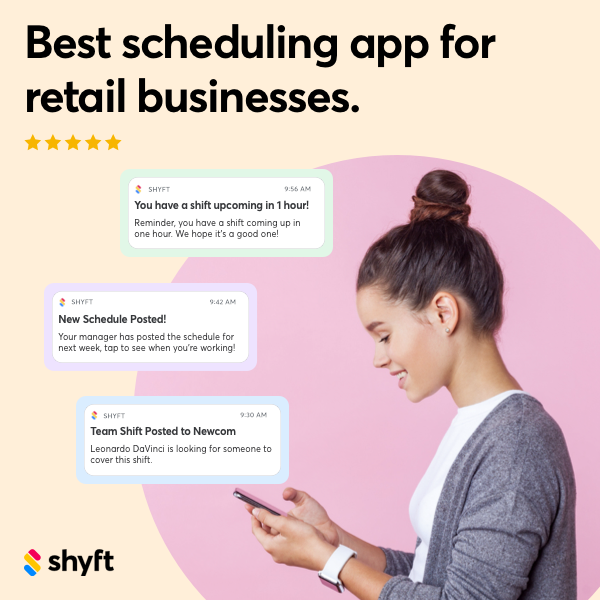
- Real-time Notifications: Alerts for missed punches, approaching overtime thresholds, or schedule conflicts help managers proactively address issues before they impact operations or payroll.
- Employee Self-Service Portal: Giving employees access to view their hours, request time off, or swap shifts empowers them while reducing administrative burden on managers.
The most effective time clock solutions for Omaha businesses offer customization options to accommodate unique workflows and requirements. For example, manufacturing facilities might need integration with production tracking systems, while healthcare providers require compliance with specific record-keeping regulations. Many Omaha businesses benefit from systems that offer team communication capabilities, allowing managers to quickly address scheduling gaps or attendance issues.
Legal Compliance Requirements for Time Tracking in Omaha
Compliance with labor laws is a critical consideration when implementing time clock software in Omaha. Nebraska has specific regulations regarding employee time tracking, overtime calculation, and record keeping that businesses must follow. Additionally, federal requirements under the Fair Labor Standards Act (FLSA) apply to most employers. Ensuring your time clock system supports these compliance needs can prevent costly penalties and legal issues.
- Record Retention Requirements: Nebraska employers must maintain time records for at least three years, including hours worked, wages paid, and other employment conditions.
- Overtime Calculations: Systems should accurately calculate overtime at 1.5 times the regular rate for hours worked beyond 40 in a workweek, in compliance with both state and federal regulations.
- Break Time Tracking: While Nebraska doesn’t mandate meal or rest breaks for adult employees, if breaks are provided, proper tracking ensures compliance with company policies and labor regulations.
- Minor Employee Restrictions: For businesses employing workers under 18, time clock software should accommodate special hour restrictions and break requirements for minors.
- Audit Trails: Comprehensive logging of time card changes, manager approvals, and system modifications creates transparency and documentation for potential wage disputes or audits.
Implementing time clock software with built-in compliance features is especially important for Omaha businesses in highly regulated industries like healthcare and financial services. These systems can automatically flag potential compliance issues, such as missed breaks or excessive overtime, allowing managers to address them proactively. Many leading solutions also provide regular updates to accommodate changes in labor laws, ensuring your business remains compliant even as regulations evolve. Platforms like Shyft offer robust compliance features specifically designed to help businesses navigate complex workforce regulations.
Implementation Strategies for Time Clock Systems
Successful implementation of a time clock system requires careful planning and a structured approach. For Omaha businesses, creating a strategic implementation plan helps ensure smooth adoption while minimizing disruptions to daily operations. Whether you’re upgrading from a manual system or switching to a new digital solution, these implementation strategies can help achieve a successful transition.
- Phased Rollout Approach: Consider implementing the system department by department rather than company-wide, allowing you to address issues on a smaller scale before full deployment.
- Data Migration Planning: Develop a clear strategy for transferring existing time and attendance records to the new system, ensuring historical data remains accessible and accurate.
- Integration Testing: Thoroughly test connections with existing HR systems, payroll software, and other business applications before going live to prevent data synchronization issues.
- Customized Configuration: Configure the system to reflect your specific company policies, pay rules, overtime calculations, and approval workflows relevant to your Omaha business operations.
- Stakeholder Involvement: Include representatives from various departments in the implementation process to ensure the system meets diverse needs and builds organizational buy-in.
Creating a realistic implementation timeline is essential for setting proper expectations. Most successful deployments include a planning phase, configuration period, testing stage, and finally, the go-live date with subsequent evaluation. Implementing time tracking systems effectively often requires dedicating resources to manage the transition, including designating internal champions who can help drive adoption within their departments. Consider scheduling the implementation during a slower business period to minimize operational impact, and always have a contingency plan in case technical issues arise during the transition.
Integration with Existing HR Systems in Omaha Businesses
For most Omaha businesses, time clock software doesn’t operate in isolation but needs to function as part of a broader HR and business management ecosystem. Seamless integration with existing systems creates a unified workflow that maximizes efficiency and data accuracy while eliminating redundant data entry. Understanding integration capabilities should be a key consideration when selecting a time clock solution for your organization.
- Payroll System Connectivity: Direct integration with payroll software allows time data to flow automatically into wage calculations, reducing manual entry errors and processing time.
- HRIS Platform Synchronization: Connection with your human resource information system ensures employee data, job codes, and department structures remain consistent across platforms.
- ERP System Integration: For manufacturing and distribution businesses in Omaha, linking time data with enterprise resource planning systems provides valuable insights into labor costs per project or production line.
- Scheduling Software Coordination: Integration with scheduling software creates a comprehensive workforce management solution that compares scheduled versus actual hours worked.
- Accounting Software Connection: Direct flow of approved time data into accounting systems streamlines financial reporting and labor cost allocation across departments or projects.
When evaluating integration capabilities, consider both current and future needs. The best time clock solutions offer flexible API connections and pre-built integrations with popular business systems. Some Omaha businesses benefit from selecting software within the same ecosystem as their existing HR tools, while others prioritize specialized solutions with strong integration capabilities. Benefits of integrated systems include improved data accuracy, reduced administrative workload, and better business intelligence through consolidated reporting.
Training Staff on New Time Clock Software
Effective training is crucial for successful adoption of any new time clock system. Even the most powerful software will fail to deliver its full benefits if employees and managers don’t understand how to use it correctly. For Omaha businesses, developing a comprehensive training strategy ensures all stakeholders can confidently utilize the new system while minimizing resistance to change and user errors.
- Role-Based Training Modules: Create separate training programs for employees, supervisors, and administrators, focusing on the specific features each group needs to master.
- Multiple Learning Formats: Offer various training methods including hands-on sessions, video tutorials, and written documentation to accommodate different learning preferences.
- Change Management Communication: Clearly explain the benefits of the new system for both the company and employees to build buy-in and reduce resistance.
- Practice Environment: Provide a test version of the software where users can practice without affecting live data, building confidence before full implementation.
- Ongoing Support Resources: Develop quick reference guides, FAQ documents, and designate internal super-users who can provide continued assistance after initial training.
Many Omaha businesses find success by implementing a “train-the-trainer” approach, where key employees from each department receive advanced training and then help instruct their colleagues. This creates internal champions who can provide immediate assistance for common questions. Scheduling training programs and workshops during regular work hours signals the importance of the new system and ensures employees have dedicated time to learn. Regular refresher sessions and updates on new features help maintain proficiency as the system evolves. Remember that effective training is an ongoing process, not a one-time event, especially as new employees join the organization.
Data Security and Privacy Considerations
Time clock systems collect sensitive employee information, making data security and privacy essential considerations for Omaha businesses. From personal identification details to work patterns and payroll data, time clock software manages information that requires robust protection. Implementing appropriate security measures not only protects your employees but also shields your business from potential legal and reputational risks associated with data breaches.
- Access Control Protocols: Implement role-based permissions that limit data access to only what’s necessary for specific job functions, reducing unauthorized exposure.
- Encryption Standards: Ensure the system uses strong encryption for data both in transit and at rest, particularly for biometric information used in fingerprint or facial recognition clock-ins.
- Data Retention Policies: Develop clear policies for how long time clock data is stored, balancing compliance requirements with privacy best practices.
- Compliance with Privacy Regulations: Verify that your time clock solution adheres to relevant privacy laws and regulations, including those specific to biometric data if applicable.
- Vendor Security Assessment: Evaluate the security practices of potential vendors, including their data center security, backup procedures, and incident response plans.
Cloud-based time clock solutions are increasingly popular among Omaha businesses, but they require careful security evaluation. Look for vendors with SOC 2 compliance, regular security audits, and transparent security policies. On-premises solutions offer different security considerations, requiring internal IT resources to maintain secure configurations and updates. Regardless of deployment model, data privacy and security should be ongoing priorities, with regular reviews of access logs, security updates, and privacy practices. Employee education about security practices, such as password management and phishing awareness, forms another critical layer of protection for your time clock system.

Cost Analysis and ROI of Time Clock Software
Understanding the financial implications of implementing time clock software is essential for Omaha businesses making this investment. While there are upfront costs associated with purchasing and implementing a new system, a comprehensive return on investment analysis typically reveals significant long-term benefits. Evaluating both direct and indirect cost factors helps create a complete picture of the system’s financial impact on your organization.
- Initial Investment Considerations: Factor in software licensing or subscription fees, hardware costs (if applicable), implementation services, and initial training expenses.
- Ongoing Operational Costs: Account for recurring expenses such as subscription renewals, system maintenance, support services, and periodic training for new features or employees.
- Labor Cost Savings: Calculate potential savings from reduced payroll errors, eliminated time theft, minimized unauthorized overtime, and streamlined administrative processes.
- Compliance Risk Reduction: Assign value to the mitigation of legal and financial risks associated with inaccurate time records or labor law violations.
- Productivity Improvements: Estimate gains from improved scheduling efficiency, reduced time spent on manual time tracking and calculations, and better labor allocation based on data insights.
Most Omaha businesses find that modern time clock systems pay for themselves within 6-12 months through efficiency gains and error reduction. Evaluating system performance against established metrics helps quantify the actual ROI achieved. For smaller businesses, cloud-based subscription models often provide a more accessible entry point with lower upfront costs, while larger organizations might benefit from enterprise systems with more extensive capabilities. Remember to consider scalability in your cost analysis—choose a solution that can grow with your business without requiring a complete system replacement as your workforce expands.
Troubleshooting Common Issues with Time Clock Systems
Even with careful planning and implementation, time clock systems occasionally encounter technical issues or user-related challenges. Preparing for potential problems and knowing how to address them quickly minimizes disruption to your Omaha business operations. Developing troubleshooting procedures and communicating them clearly to system administrators and users helps maintain smooth functioning of your time tracking processes.
- Missed Punches: Establish a clear procedure for addressing forgotten clock-ins or clock-outs, including documentation requirements and approval workflows.
- Synchronization Failures: Develop protocols for handling situations where time data doesn’t properly transfer to payroll or other integrated systems.
- Hardware Malfunctions: For physical time clocks, have backup options available such as web-based or mobile clock-in alternatives to use during equipment repairs.
- Software Connectivity Issues: Create troubleshooting guides for common network or internet connection problems that might affect cloud-based time clock access.
- Data Discrepancies: Implement reconciliation processes to identify and resolve differences between scheduled hours, worked hours, and payroll calculations.
Regular system maintenance and updates are crucial for preventing many common issues. Schedule periodic reviews of your time clock system configuration to ensure it continues to align with changing business policies and workforce structures. Troubleshooting common issues becomes easier when you maintain a good relationship with your software vendor’s support team and document system-specific solutions as they’re discovered. Many leading solutions offer self-service portals where users can report issues, access knowledge bases, and find immediate answers to common questions. For Omaha businesses with multiple locations or shifts, designating and training local super-users ensures that basic troubleshooting assistance is always available, even during nights and weekends.
Mobile Time Tracking Solutions for Remote Workers
With the rise of remote work and field-based positions, mobile time tracking capabilities have become essential for many Omaha businesses. Mobile solutions extend the functionality of time clock software beyond physical office locations, enabling accurate time tracking regardless of where employees perform their duties. These tools are particularly valuable for construction companies, home healthcare providers, field service operations, and organizations with hybrid work models.
- Location Verification: GPS-enabled clock-ins verify that employees are at appropriate work locations when recording their time, important for businesses with multiple sites across Omaha and surrounding areas.
- Offline Functionality: Advanced mobile solutions offer offline time recording capabilities that synchronize once internet connectivity is restored—essential for rural areas around Omaha with spotty coverage.
- Photo Verification: Some systems incorporate photo capture at clock-in to verify identity, adding an extra layer of authentication for remote workers.
- Digital Signature Capture: Mobile apps can collect client signatures to verify service completion, particularly useful for home service businesses operating throughout the Omaha metro area.
- Activity Tracking: Enhanced solutions allow workers to log specific tasks or projects as they complete them, providing granular data for client billing or project management.
When implementing mobile technology for time tracking, consider device compatibility, data usage requirements, and battery consumption. Many Omaha businesses provide company-owned devices or implement BYOD (Bring Your Own Device) policies with clear guidelines for business use. User experience is particularly important for mobile solutions—complicated interfaces lead to poor adoption and inaccurate time records. Leading solutions like Shyft offer intuitive mobile interfaces that make clock-ins simple while still maintaining necessary security and verification features. For companies with unionized workforces, ensure that mobile time tracking methods comply with any relevant collective bargaining agreements regarding time recording procedures.
Conclusion
Implementing the right employee time clock software represents a significant opportunity for Omaha businesses to modernize their workforce management practices while improving accuracy, compliance, and operational efficiency. The journey from selection to full deployment requires careful planning, stakeholder involvement, and attention to both technical and human factors. By focusing on proper needs assessment, thorough evaluation of features, seamless integration with existing systems, and comprehensive training, organizations can maximize the return on their investment while creating a positive experience for employees and managers alike.
As you move forward with implementing or upgrading your time clock solution, remember that success depends on balancing technical capabilities with practical usability. The most sophisticated system will fail if employees find it difficult to use or managers lack confidence in its accuracy. Take advantage of vendor resources, including implementation and training support, to ensure a smooth transition. Regularly evaluate system performance against your business objectives, and be prepared to make adjustments as your organization evolves. With the right approach, your time clock software can become a valuable strategic asset that supports your Omaha business’s continued growth and success in an increasingly competitive marketplace.
FAQ
1. What Nebraska-specific labor laws should our time clock software help us comply with?
Nebraska follows federal FLSA regulations for overtime calculation (1.5x regular pay for hours over 40 in a workweek) and requires employers to maintain time records for at least three years. While Nebraska doesn’t mandate meal or rest breaks for adult workers, employers must comply with any break policies they establish. For employees under 18, special hour restrictions apply. Your time clock software should track and document these elements automatically, generate compliant records for potential audits, and flag potential violations before they occur. Some industries in Omaha, particularly healthcare and transportation, may have additional sector-specific regulations that your time clock system should accommodate.
2. How can small businesses in Omaha afford comprehensive time clock software?
Small businesses in Omaha have several affordable options for implementing time clock software. Cloud-based subscription models offer lower upfront costs with predictable monthly expenses based on employee count. Many vendors provide tiered pricing with basic packages suitable for small operations. Small business scheduling features often come bundled with time tracking capabilities, providing better value. Consider starting with core functionality and adding features as your business grows. Some providers offer local discounts or special rates for chamber of commerce members. Calculating potential ROI from reduced payroll errors, eliminated time theft, and administrative time savings can help justify the investment, as most small businesses recoup costs within 6-12 months through efficiency gains alone.
3. What are the best approaches to training employees on a new time clock system?
Successful training begins with segmenting your audience—create separate programs for employees, managers, and administrators focusing on their specific needs. Employ multiple learning formats including hands-on workshops, video tutorials, quick reference guides, and digital knowledge bases to accommodate different learning styles. Schedule training sessions during regular work hours to signal the importance of proper system use. Consider implementing a peer champion program where early adopters help train colleagues. Create a test environment where users can practice without fear of making mistakes. Communicate the “why” behind the new system, emphasizing benefits for both employees and the organization. Finally, schedule follow-up sessions after implementation to address emerging questions and reinforce proper usage.
4. How does time clock software typically integrate with payroll systems?
Time clock software integrates with payroll systems through several methods, with the level of automation varying by solution. Direct integration via API connections allows seamless data flow between systems with minimal manual intervention. Pre-built connectors for popular payroll platforms (like ADP, Paychex, or QuickBooks) simplify setup for many Omaha businesses. Some systems use scheduled data exports that automatically generate formatted files for payroll processing at defined intervals. The most sophisticated integrations handle complex pay rules, multiple pay rates, shift differentials, and overtime calculations automatically. For comprehensive workforce management, look for solutions with payroll integration techniques that include exception flagging, approval workflows, and audit trails for all time data transfers.
5. What security measures are essential for protecting time clock data?
Protecting time clock data requires a multi-layered security approach. Start with strong access controls using role-based permissions that limit data access to only what’s necessary for specific job functions. Implement robust authentication methods, including multi-factor authentication for administrator access. Ensure data encryption both in transit and at rest, especially for systems using biometric verification. Establish clear data retention and destruction policies that balance compliance requirements with privacy best practices. Regularly audit system access logs to identify unusual patterns that might indicate security issues. For cloud-based solutions, verify vendor security certification compliance with standards like SOC 2, regular penetration testing, and transparent breach notification policies. Finally, conduct ongoing security awareness training for all system users to prevent social engineering attacks that could compromise credentials.